> ## Documentation Index
> Fetch the complete documentation index at: https://docs.property-genius.co/llms.txt
> Use this file to discover all available pages before exploring further.
# General
### PropertyGenius AI Assistant Bot
The **PropertyGenius** **AI Assistant Bot** is available throughout the application to help answer questions, provide guidance, and perform actions - making your workflow faster and more efficient.
 **Q\&A Assistant**
Ask any question related to the application and get instant clarification or guidance.
**Example:**
**Q\&A Assistant**
Ask any question related to the application and get instant clarification or guidance.
**Example:**
*"How can I switch between property phases?"*
**Actions Assistant**
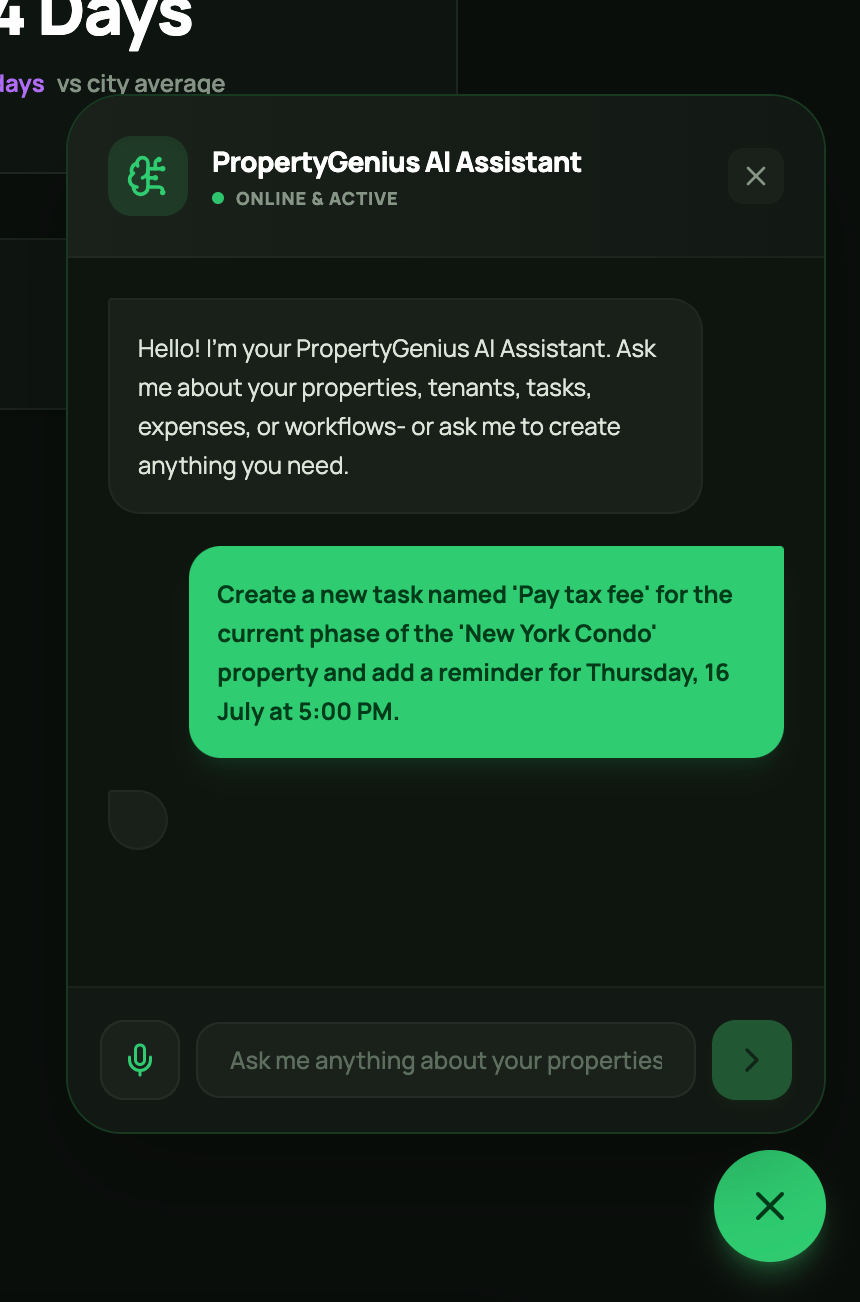
Ask the AI Assistant Bot to perform specific actions within the application.
**Example:**
*"Create a new task named 'Pay tax fee' for the 'New York Condo' property and add a reminder for Thursday, 16 July at 5:00 PM."*
### Reminders & Alerts
 **Notifications Settings**
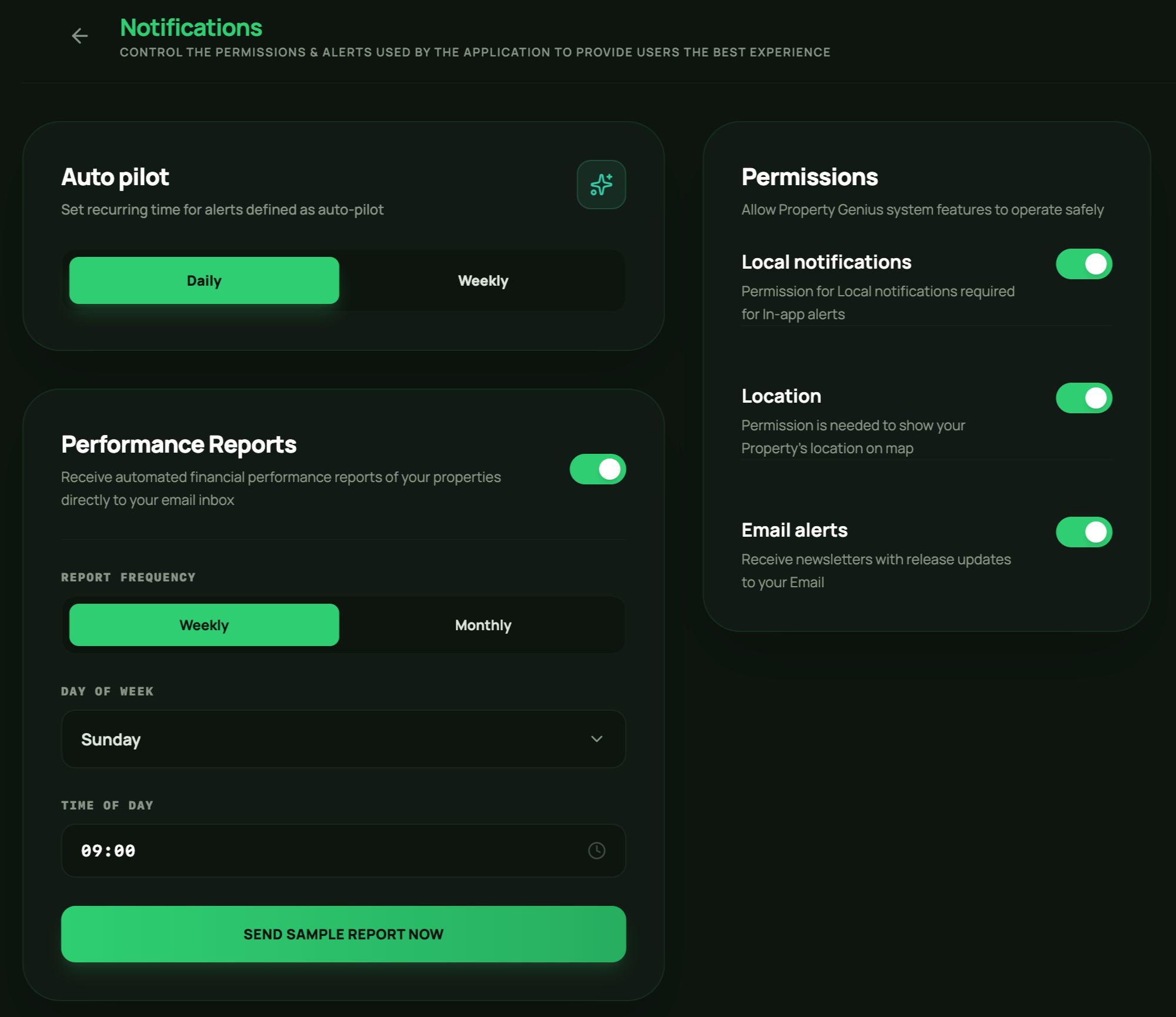
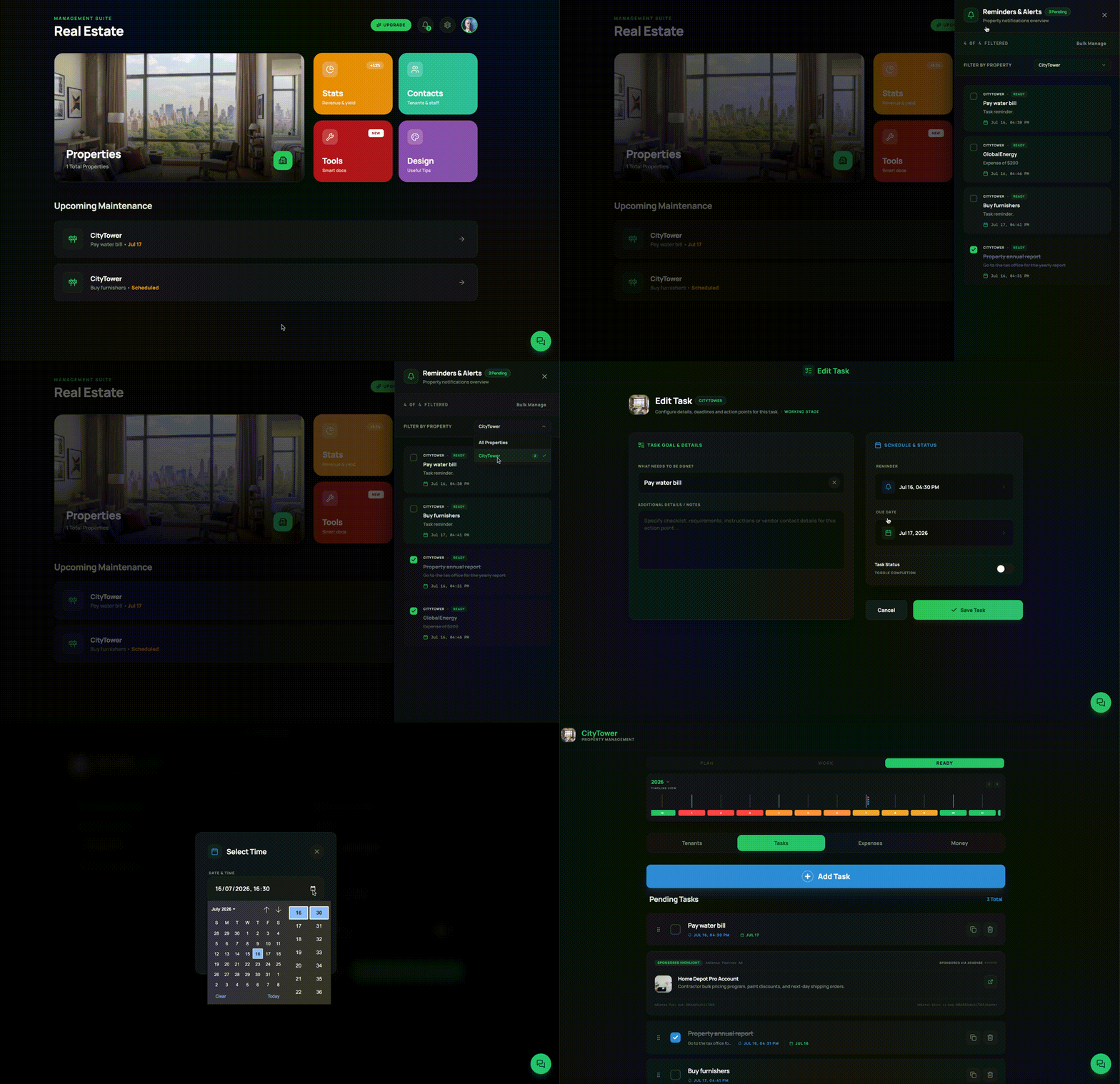
In **Settings → Notifications**, make sure notifications are enabled to ensure your reminders and alerts work properly.
You can customize these settings to adjust report and reminder frequencies according to your preferences.
**Notifications Settings**
In **Settings → Notifications**, make sure notifications are enabled to ensure your reminders and alerts work properly.
You can customize these settings to adjust report and reminder frequencies according to your preferences.